Run on a server with a read-only context
Read Production on a server with a server token, an IP allowlist, and machine approval.
Sep 26, 2026 · 4 min read
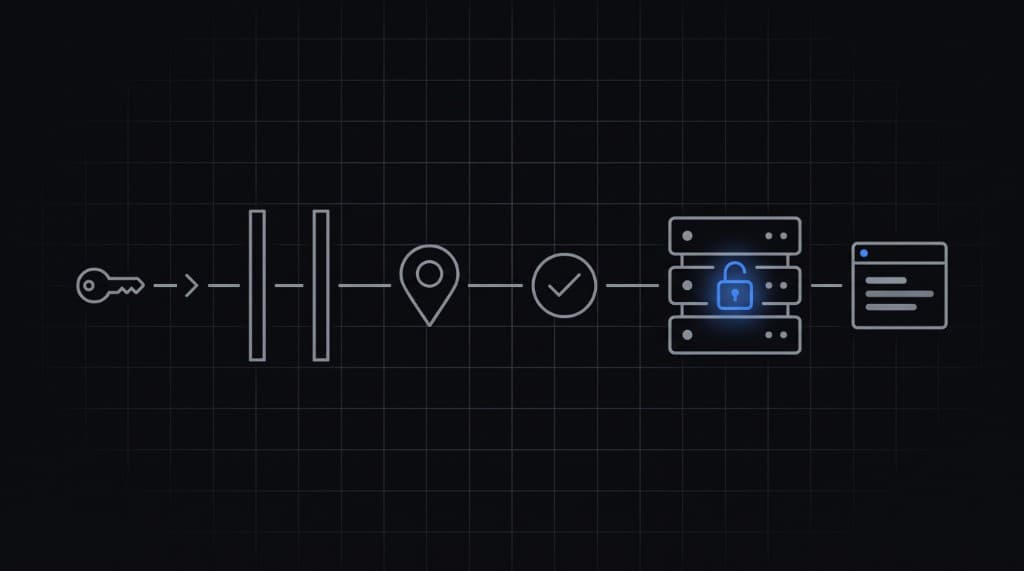
What read-only means
- The CLI is read-only. Set values in the dashboard.
- Only a server token bound to that context can read it.
- Reads come from an allowlisted IP or CIDR.
- A machine that is not trusted follows the token's New machines rule: ask you, trust it from an allowed IP, or block it.
1. Set values in the dashboard
Open the project, pick Production in the sidebar, then Add variable or Import. Values are encrypted in the browser.
2. Create a server token
On the CLI page, create a server token for the read-only context. Add the server's IP or CIDR, and pick what happens with new machines. The token is shown once. Store it in your server's environment as GETMYENV_TOKEN.
3. Run
export GETMYENV_TOKEN=...          # server token from the dashboard
export GETMYENV_MACHINE_LABEL=web-1 # name shown on the Requests page
npx getmyenv run -- node server.js
With a server token, run uses the token's context. The token holds that context's key, so there is no Vault password on the server.
In containers, set GETMYENV_CONFIG_DIR to a persistent volume. The machine key lives there, so a trusted machine stays trusted across restarts.
4. Approve the machine
The first run from a new machine creates a request, prints the Requests page link, and waits up to 5 minutes. Approve it in the dashboard. Approval gives that machine a one-time grant for 1 hour.
Trust the machine on Requests to skip approval next time. Untrust or revoke it there at any time.
With Trust from these IPs, the first run from an allowed IP trusts the machine and skips this step. It needs each allowlist entry to be /24 or narrower (IPv6 /64). With Blocked, trust the machine on Requests before it can read.
Related docs: Machine access, Run the CLI, Security